
CCTV
Keeping your security system in top condition is just as important as installing it. While many property owners invest in high-quality surveillance systems, they often overlook one crucial aspect – CCTV maintenance. Without regular care, even the best security cameras can develop faults, reducing their effectiveness when you need them most.
Whether you own a home, retail store, office, warehouse, or industrial facility in Australia, following a proper CCTV maintenance checklist helps ensure your surveillance system delivers reliable performance all year round.
In this guide, we’ll walk you through the essential maintenance tasks every property owner should follow to improve security, extend equipment life, and avoid costly repairs.
Why CCTV Maintenance Matters
A CCTV system works around the clock to protect your property. However, exposure to Australia’s changing weather conditions, dust, insects, moisture, and electrical issues can affect camera performance over time.
Regular CCTV servicing offers several benefits:
1. Keeps cameras recording clear footage
2. Prevents unexpected equipment failures
3. Extends the lifespan of security devices
4. Identifies minor issues before they become expensive repairs
5. Ensures footage is available when needed
6. Improves overall property security
Neglecting maintenance could leave blind spots in your surveillance coverage or cause recording failures without you even noticing.
Essential CCTV Maintenance Checklist
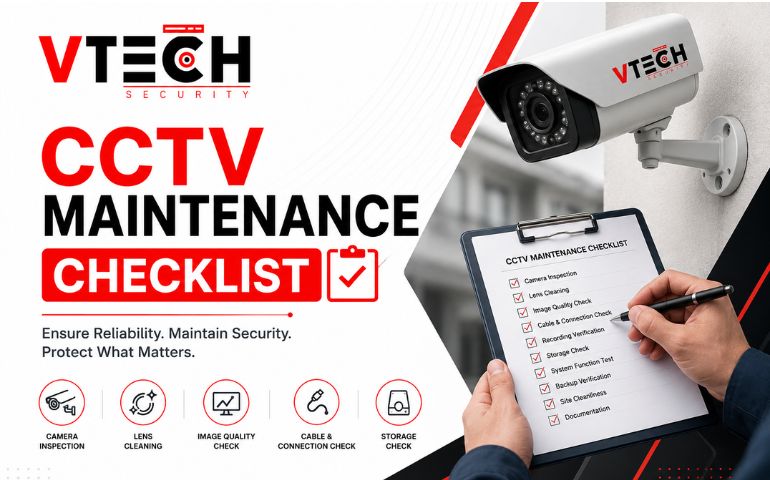
Use this comprehensive CCTV maintenance checklist to keep your security system operating efficiently.
1. Clean Camera Lenses Regularly
Dirty lenses are one of the most common causes of blurry footage.
Dust, rain spots, spider webs, bird droppings, and pollen can all reduce image quality.
Best practices:
1. Use a soft microfiber cloth.
2. Avoid harsh chemical cleaners.
3. Clean outdoor cameras more frequently.
4. Check for scratches or cracks.
Clean lenses ensure your cameras capture sharp and useful footage.
2. Inspect Camera Housing
Australia’s climate can be harsh on outdoor equipment.
Inspect camera housings for:
1. Cracks
2. Water damage
3. Rust
4. Loose fittings
5. UV damage
6. Broken weather seals
Damaged housings allow moisture inside the camera, leading to expensive CCTV repair work.
3. Check Camera Position and Coverage
Over time, cameras may shift due to wind, vibrations, or accidental knocks.
Review each camera to ensure it still covers:
1. Entry points
2. Driveways
3. Parking areas
4. Backyards
5. Reception areas
6. Storage rooms
Trim nearby trees or shrubs that may block the camera view.
4. Test Video Quality
One of the most important parts of security camera maintenance is reviewing image quality.
Check for:
1. Blurry footage
2. Poor night vision
3. Colour distortion
4. Flickering images
5. Delayed video
6. Missing frames
If image quality has declined, professional CCTV inspection may be required.
5. Verify Recording Functions
Many property owners assume recordings are being saved correctly—until they need them.
Regularly test:
1. Continuous recording
2. Motion recording
3. Scheduled recording
4. Playback functionality
5. Remote viewing
Confirm that recordings are stored for the required retention period.
6. Inspect Power Supplies and Cables
Loose or damaged cables are among the leading causes of CCTV failure.
Check for:
1. Frayed cables
2. Water exposure
3. Loose power connections
4. Corrosion
5. Cable damage from rodents
Addressing these issues early helps avoid unnecessary CCTV repair costs.
7. Test Motion Detection
Motion detection settings can change after software updates or accidental adjustments.
Walk through monitored areas to verify:
1. Motion triggers correctly
2. Alerts are sent
3. Recording starts immediately
4. Detection zones remain accurate
Proper configuration reduces false alarms while ensuring genuine activity is captured.
8. Update Firmware and Software
Manufacturers regularly release firmware updates that improve:
1. Security
2. Performance
3. Compatibility
4. Bug fixes
5. Cybersecurity protection
Keeping your CCTV software updated protects your system from vulnerabilities.
Always back up settings before installing updates.
9. Check Hard Drives and Storage
Your Digital Video Recorder (DVR) or Network Video Recorder (NVR) works continuously.
Inspect:
1. Available storage space
2. Hard drive health
3. Recording errors
4. Backup settings
5. Automatic overwrite functions
Failing storage devices can result in permanent footage loss.
10. Schedule Professional CCTV Servicing
While basic maintenance can be done yourself, annual CCTV servicing by experienced professionals is highly recommended.
Professional technicians can:
1. Test all system components
2. Measure camera performance
3. Identify hidden faults
4. Replace worn parts
5. Optimise recording settings
6. Perform complete CCTV inspection
This proactive approach reduces downtime and improves long-term reliability.
Signs Your CCTV System Needs Immediate Attention
Watch for these warning signs:
1. Cameras not recording
2. Blurry or distorted images
3. Cameras frequently disconnecting
4. Storage errors
5. Missing footage
6. Night vision not working
7. Water inside camera housing
8. Unusual system noises
If you notice any of these problems, arrange professional CCTV repair as soon as possible.
Benefits of Regular Security Camera Maintenance
Routine security camera maintenance delivers long-term value by:
1. Improving image clarity
2. Preventing unexpected breakdowns
3. Extending equipment lifespan
4. Reducing repair costs
5. Maintaining insurance compliance where applicable
6. Providing reliable evidence when incidents occur
7. Enhancing overall property security
Preventive maintenance is always more affordable than replacing an entire surveillance system.
Conclusion
A CCTV system is one of the most effective ways to protect your property, but only if it operates reliably. Following this CCTV maintenance checklist helps ensure your cameras remain clear, recordings stay accessible, and your security system performs when it matters most.
From cleaning camera lenses and checking cables to scheduling professional CCTV servicing, every maintenance step contributes to better protection and fewer unexpected failures. Regular CCTV inspection also helps identify issues before they become expensive CCTV repair jobs.
By making maintenance part of your routine, you’ll maximise the lifespan of your investment while keeping your home or business secure.
Frequently Asked Questions
1. How often should CCTV maintenance be performed?
Most residential properties should have CCTV maintenance every 6–12 months, while commercial properties often benefit from inspections every 3–6 months, depending on usage and environmental conditions.
2. Can I perform CCTV servicing myself?
Basic tasks like cleaning camera lenses and checking visible cables can be completed yourself. However, professional CCTV servicing is recommended for software updates, diagnostics, and system testing.
3. What is included in a CCTV inspection?
A professional CCTV inspection typically includes checking cameras, wiring, storage devices, recording quality, firmware updates, network connectivity, and overall system performance.
4. What causes CCTV cameras to stop working?
Common causes include damaged cables, power failures, faulty hard drives, outdated firmware, weather damage, poor maintenance, and hardware failure.
5. Is CCTV repair cheaper than replacing the system?
In many cases, yes. Early CCTV repair can resolve small faults before they affect other components, helping you avoid the higher cost of replacing the entire system.
Protect Your Property with Expert CCTV Maintenance
Don’t wait until your security system fails when you need it most. Whether you need routine CCTV maintenance, professional CCTV servicing, a detailed CCTV inspection, or fast CCTV repair, the experienced team at VTech Security is here to help.
Contact VTech Security today to schedule a professional maintenance service and keep your CCTV system operating at peak performance across your home or business in Australia.