CCTV Camera
Key Takeaways
1. Most CCTV troubleshooting issues are caused by power, cables, storage, or network problems.
2. A CCTV camera not working doesn’t always require replacement—simple checks often solve the issue.
3. Regular maintenance reduces costly repairs and improves system reliability.
4. Following a proper CCTV repair guide helps identify faults quickly.
5. If problems continue after basic security camera troubleshooting, seek professional support to prevent security risks.
A reliable CCTV system is one of the best ways to protect Australian homes and businesses. However, even the most advanced security cameras can develop faults over time. From blurry footage to recording failures, these issues can reduce your system’s effectiveness when you need it most.
This CCTV troubleshooting guide covers the 15 most common CCTV problems, their likely causes, and practical solutions. While many issues can be resolved with simple checks, more complex faults should be inspected by experienced security professionals.
Why CCTV Systems Develop Problems
Australian weather conditions, power fluctuations, ageing equipment, network interruptions, and poor maintenance can all affect CCTV performance. Regular inspections, software updates, and cleaning significantly reduce unexpected failures and extend the life of your surveillance system.
1. CCTV Camera Not Working
One of the most common issues is a CCTV camera not working entirely.
Possible causes:
1. Power supply failure
2. Loose cables
3. Damaged camera
4. Faulty DVR or NVR port
How to fix it:
1. Check the power adapter and electrical outlet.
2. Inspect all cable connections.
3. Test the camera on another channel.
4. Replace damaged power supplies if necessary.
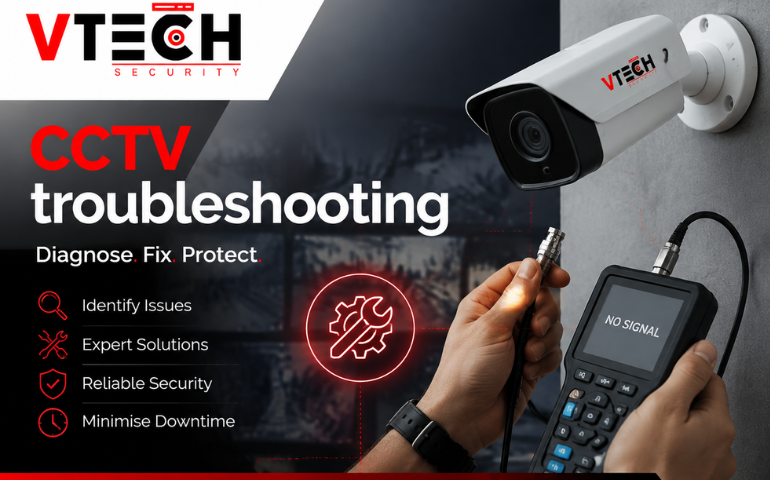
2. No Video Signal
If your monitor displays “No Signal,” the camera may not be communicating with the recorder.
Solution:
1. Verify HDMI or VGA connections.
2. Check coaxial or Ethernet cables.
3. Restart the DVR or NVR.
4. Test the camera using another cable.
3. Blurry or Poor Image Quality
Blurred footage makes identifying people or vehicles difficult.
Common causes:
1. Dirty lens
2. Incorrect focus
3. Moisture inside the housing
4. Low camera resolution
Fix:
1. Clean the lens with a microfiber cloth.
2. Adjust focus settings.
3. Inspect weatherproof seals.
4. Upgrade older cameras if image quality remains poor.
4. Night Vision Not Working
Infrared LEDs may fail, leaving dark footage after sunset.
Fixes:
1. Clean the IR sensor.
2. Remove nearby reflective surfaces.
3. Ensure sufficient power reaches the camera.
4. Replace faulty infrared LEDs if required.
5. Camera Flickering
Intermittent flickering usually indicates unstable power or damaged cabling.
Solution
1. Check power adapters.
2. Inspect connectors for corrosion.
3. Replace worn cables.
4. Keep power cables separate from high-voltage wiring.
6. CCTV Recording Stops
If footage isn’t being saved, the recorder may have storage issues.
How to fix it:
1. Check hard drive health.
2. Enable overwrite mode.
3. Confirm recording schedules.
4. Replace failing storage drives if needed.
7. Remote Viewing Not Working
Unable to access cameras through your phone?
Possible reasons:
1. Internet outage
2. Router configuration
3. App settings
4. Network changes
Solution
1. Restart your modem.
2. Verify internet connectivity.
3. Update the mobile app.
4. Confirm remote access settings.
8. False Motion Alerts
Frequent notifications can become frustrating.
Fix
1. Reduce motion sensitivity.
2. Exclude trees, roads, and moving shadows.
3. Create detection zones.
9. Storage Full
When storage fills up, new recordings may stop.
Solution
1. Enable automatic overwrite.
2. Upgrade hard drive capacity.
3. Reduce recording quality if appropriate.
4. Use motion recording instead of continuous recording.
10. Camera Offline
IP cameras occasionally lose network communication.
Fix
1. Restart the camera.
2. Check network switches.
3. Verify IP address settings.
4. Update firmware.
11. Water Damage
Outdoor cameras can suffer from heavy rain or damaged seals.
Solution
1. Replace damaged housings.
2. Check waterproof gaskets.
3. Install cameras under protective eaves where possible.
12. Glare or Overexposed Footage
Direct sunlight or bright lights may wash out video.
Fix
1. Reposition the camera.
2. Enable Wide Dynamic Range (WDR).
3. Adjust exposure settings.
13. Audio Not Working
If your camera supports sound but records silence:
Solution
1. Enable microphone settings.
2. Confirm microphone permissions.
3. Test audio on another device.
14. System Running Slowly
Older DVRs and NVRs may become sluggish.
Fix
1. Restart the recorder.
2. Update firmware.
3. Remove unnecessary recordings.
4. Upgrade storage if performance remains poor.
15. Password or Login Problems
Forgotten passwords are common.
Solution
1. Reset credentials using the manufacturer’s instructions.
2. Enable two-factor authentication where available.
3. Store passwords securely.
Preventative CCTV Maintenance Tips
The best security camera troubleshooting starts with prevention.
Follow these maintenance practices:
1. Clean camera lenses every few months.
2. Check cable connections regularly.
3. Test recording playback weekly.
4. Update firmware whenever updates become available.
5. Inspect outdoor cameras after storms.
6. Review camera angles periodically.
7. Test remote viewing on mobile devices.
8. Replace ageing hard drives before they fail.
When Should You Call a Professional?
Basic troubleshooting can solve many issues, but professional assistance is recommended when you experience:
1. Repeated power failures
2. Water-damaged cameras
3. Complete system outages
4. Network configuration problems
5. Hard drive failures
6. Multiple cameras failing simultaneously
An experienced technician can diagnose hidden faults and ensure your surveillance system continues protecting your property.
Final Thoughts
A well-maintained CCTV system provides reliable protection for homes and businesses across Australia. By following this CCTV troubleshooting guide, you can quickly identify common faults, restore camera performance, and extend the lifespan of your surveillance equipment. Regular maintenance, timely repairs, and professional servicing when required will help ensure your security system is always ready when it matters most.
Frequently Asked Questions
1. How do I troubleshoot a CCTV camera that isn’t working?
Start by checking the power supply, cables, recorder connections, and camera status lights. Restart the system and test the camera on another channel before considering replacement.
2. Why has my CCTV stopped recording?
Common causes include a full hard drive, incorrect recording schedules, storage failure, or disabled overwrite settings.
3. Why is my CCTV footage blurry?
Dirty lenses, incorrect focus, moisture inside the camera, or poor lighting are the most common reasons for blurry footage.
4. How often should CCTV systems be maintained in Australia?
Most security professionals recommend inspecting and testing CCTV systems every three to six months, with additional checks after severe weather.
5. Can I repair CCTV cameras myself?
Basic maintenance such as cleaning lenses, checking cables, restarting equipment, and updating firmware can usually be done yourself. Internal hardware faults should be handled by qualified technicians.